
Our company name has changed from Finalto International Ltd to Markets International Ltd.
What's staying the same?
There are no changes to your experience
If you have any questions, our support team is here to help via phone, Live Chat or email support@markets.com
You are attempting to access a website operated by an entity not regulated in the EU. Products and services on this website do not comply with EU laws or ESMA investor-protection standards.
As an EU resident, you cannot proceed to the offshore website.
Please continue on the EU-regulated website to ensure full regulatory protection.
Account registration & verification
On markets.com, you can access and review trade history and statements anytime you want to.
Here are the steps:
From the web platform, click on the dropdown menu in the top right corner.
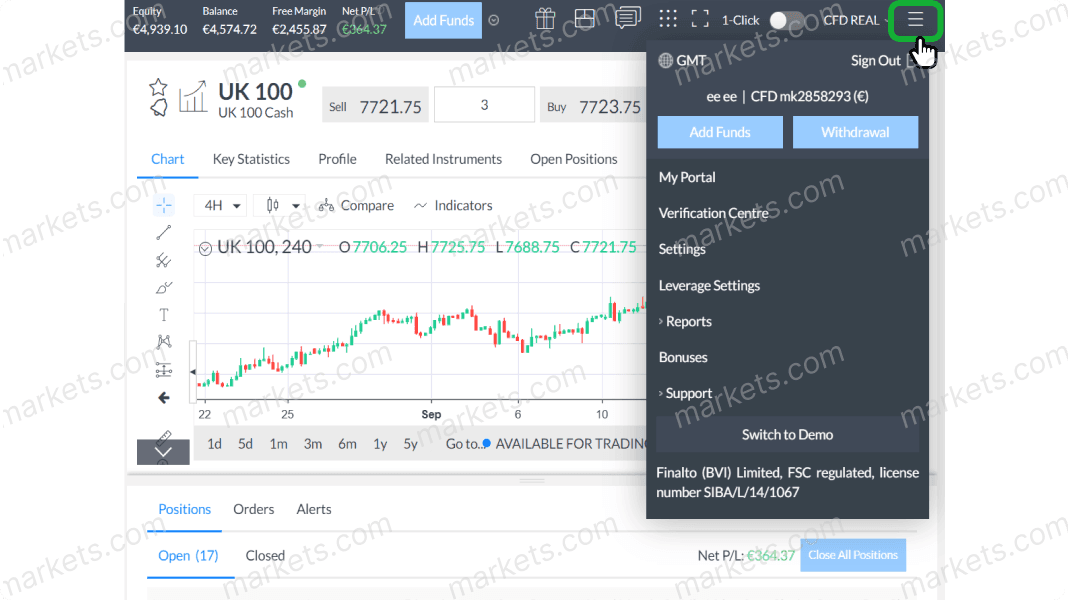
Click on “Reports”.
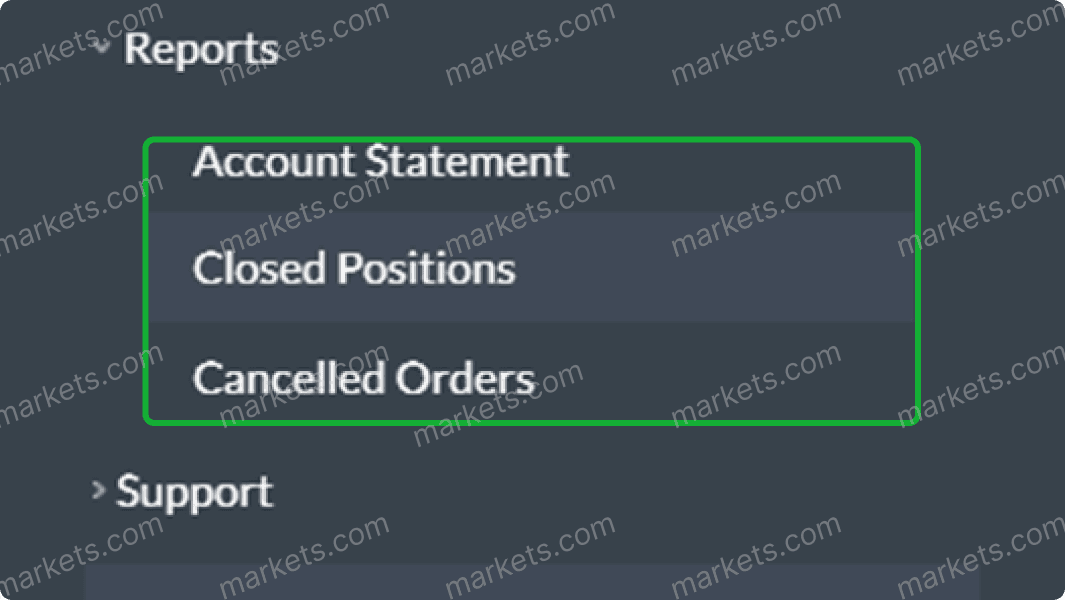
Pick the type of report you want to view.
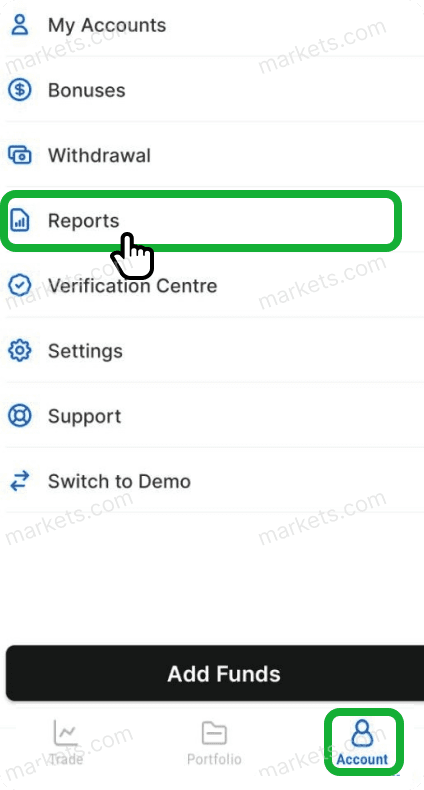
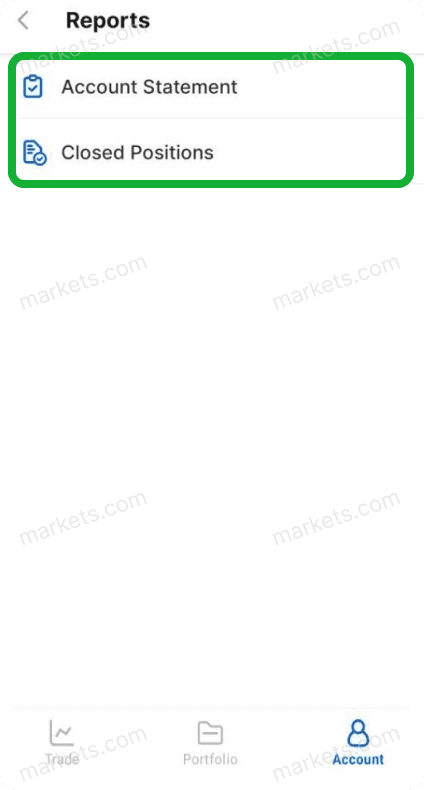
From the bottom right side of the app, go to “Account”, then click “Reports”.
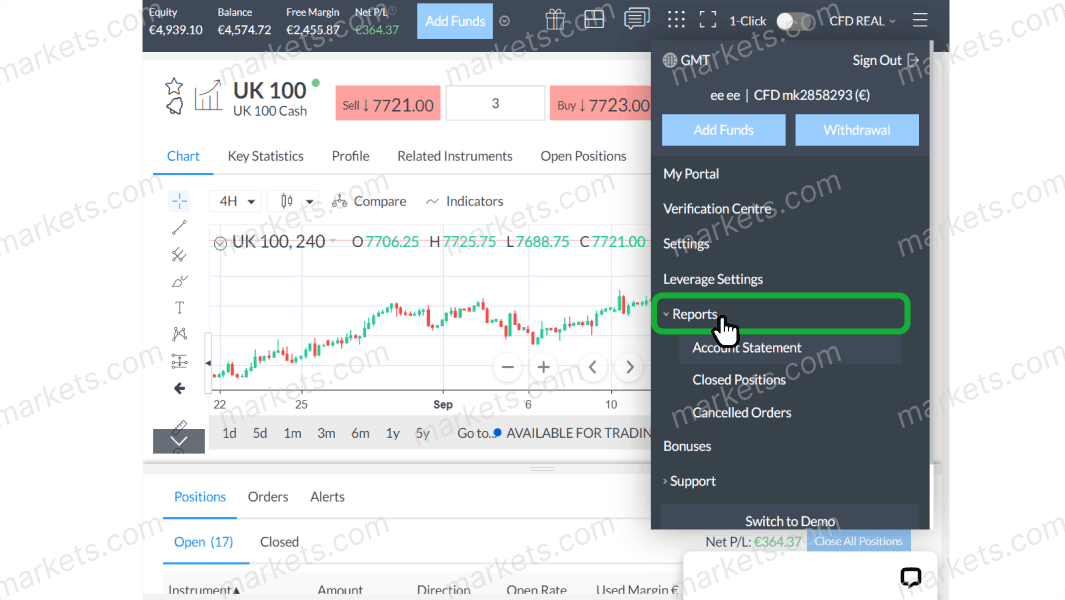
You can select either “Account Statements” or “Closed Positions”.
Log in to your account now and follow these steps to access and review trade history and statements.

We've got you covered. Here's how to reach us for personalized help.


 SVC
SVC


