
You are attempting to access a website operated by an entity not regulated in the EU. Products and services on this website do not comply with EU laws or ESMA investor-protection standards.
As an EU resident, you cannot proceed to the offshore website.
Please continue on the EU-regulated website to ensure full regulatory protection.
Quarta-feira Maio 3 2023 10:13

3 mín

Here’s how to open an MT4 or MT5 account from within the markets.com online trading platform.
Once you’re logged in, head to the dropdown menu in the top right-hand corner of the trading platform. Click on My Portal.
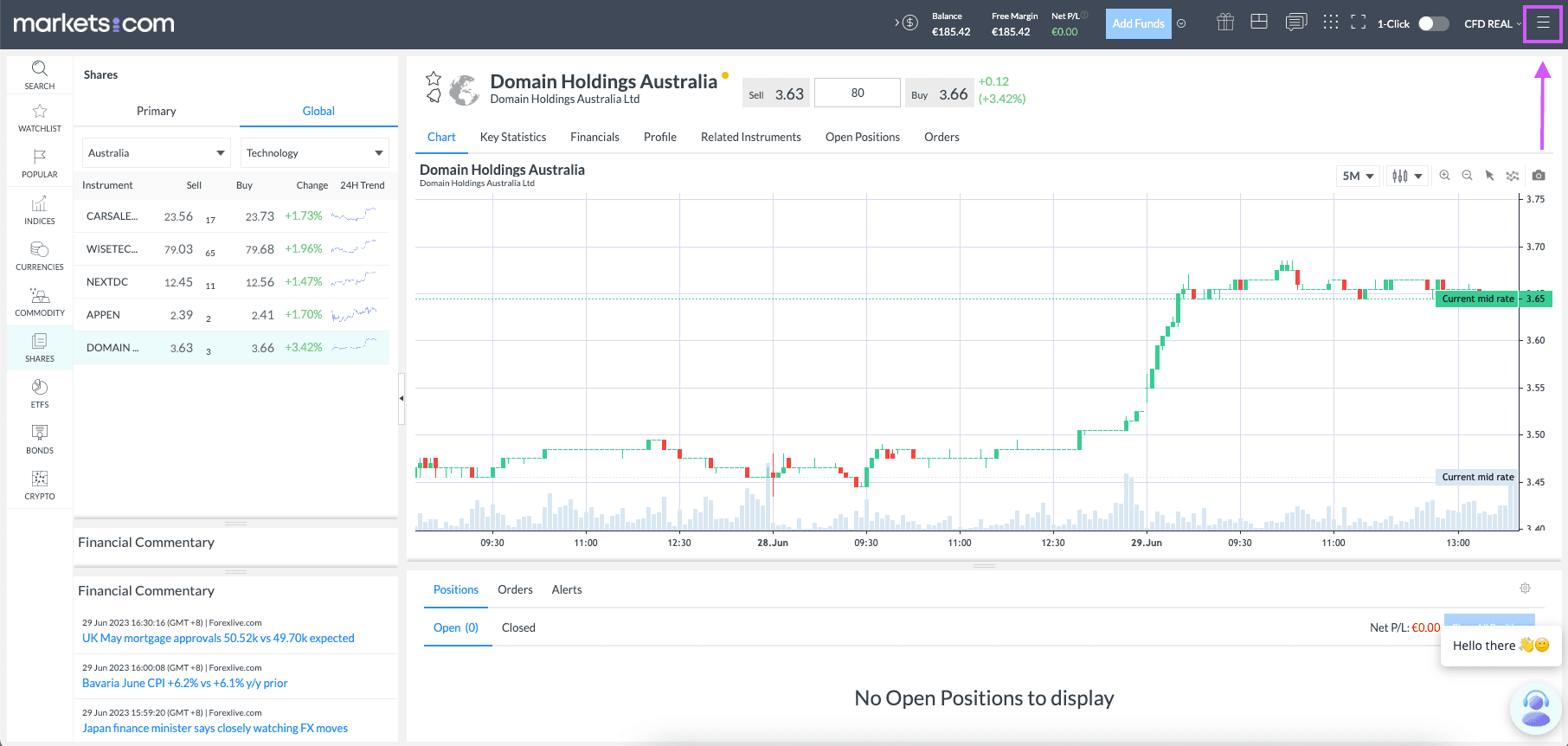
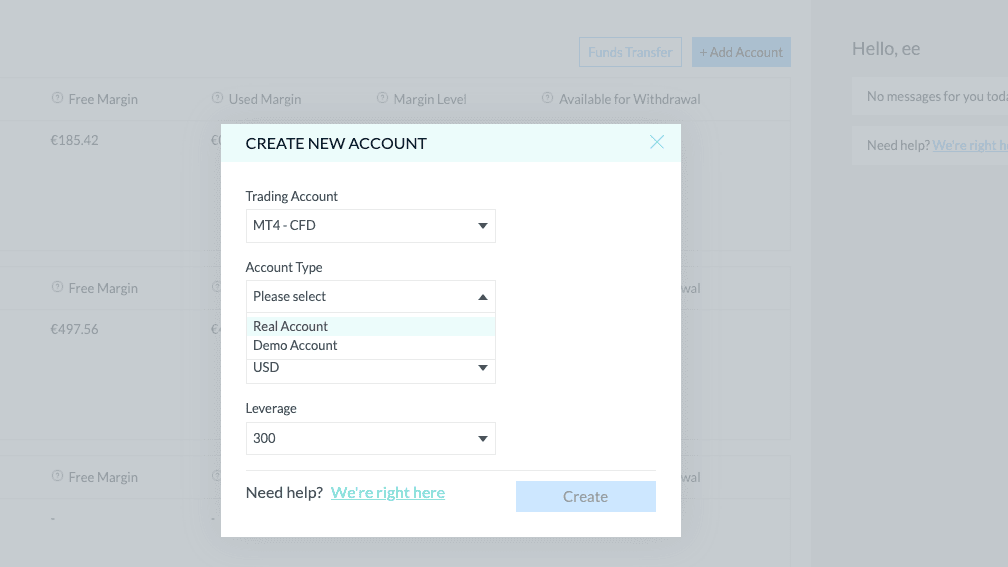
Click on the Add Account button on the right side above your existing account overview. Select the account you want from the dropdown menu. Click create.

Use the other dropdown menus to choose between a real or demo account, set your account currency, and choose your leverage.
You can fund your MT4 or MT5 account from within the markets.com platform using the button next to your account details. You can also launch the MetaTrader Web Trader, or download MetaTrader to use the desktop application.


Join the 100.000s that have made markets.com their home for trading. Learn about trading as you grow your portfolio.
More power in our platforms
You can open a free MT4 or MT5 account with markets.com, and it only takes a couple of minutes.
Risk Warning and Disclaimer: This article represents only the author’s views and is for reference only. It does not constitute investment advice or financial guidance, nor does it represent the stance of the Markets.com platform. Trading Contracts for Difference (CFDs) involves high leverage and significant risks. Before making any trading decisions, we recommend consulting a professional financial advisor to assess your financial situation and risk tolerance. Any trading decisions based on this article are at your own risk.
Mais recente
Ver todos
Segunda-feira, 17 Fevereiro 2025
5 mín

Terça-feira, 21 Janeiro 2025
3 mín

Domingo, 29 Dezembro 2024
6 mín

Segunda-feira, 17 Fevereiro 2025
Indices
Pi network price prediction 2025: Will Pi Network price go up or down?

Terça-feira, 21 Janeiro 2025
Indices
What is the XRP price prediction for 2025: Will XRP reach $1000?


 PT
PT


